Create your first report
Creating reports is one of the most common actions taken in VAKE. It is the starting point for all our Maritime Domain Awareness services.
Create Pathfinder-report
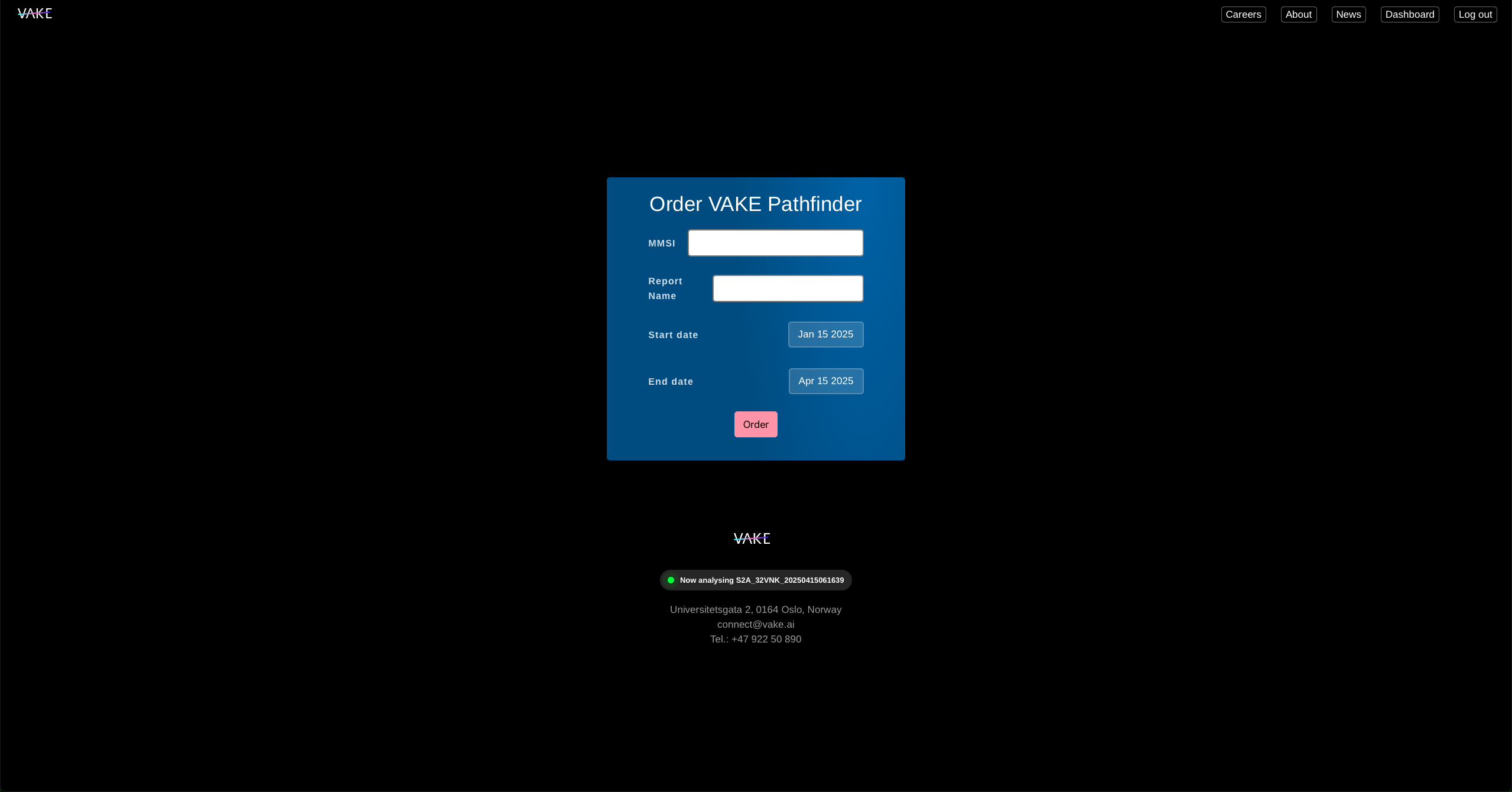
- Log in to your user account, and click on “Dashboard” to get to https://vake.ai/user
- Click “Create Pathfinder”
- Add MMSI of you vessel of interest.
- Create a name to your report.
- Select a start date and an end date.
- Click “Order”.
You will be provided with a link to your report right away. It will typically take 2-8 minutes to complete the report.
You can always find your report by heading to “Dashboard” and selecting “Pathfinder reports”.
Create Overwatch-report
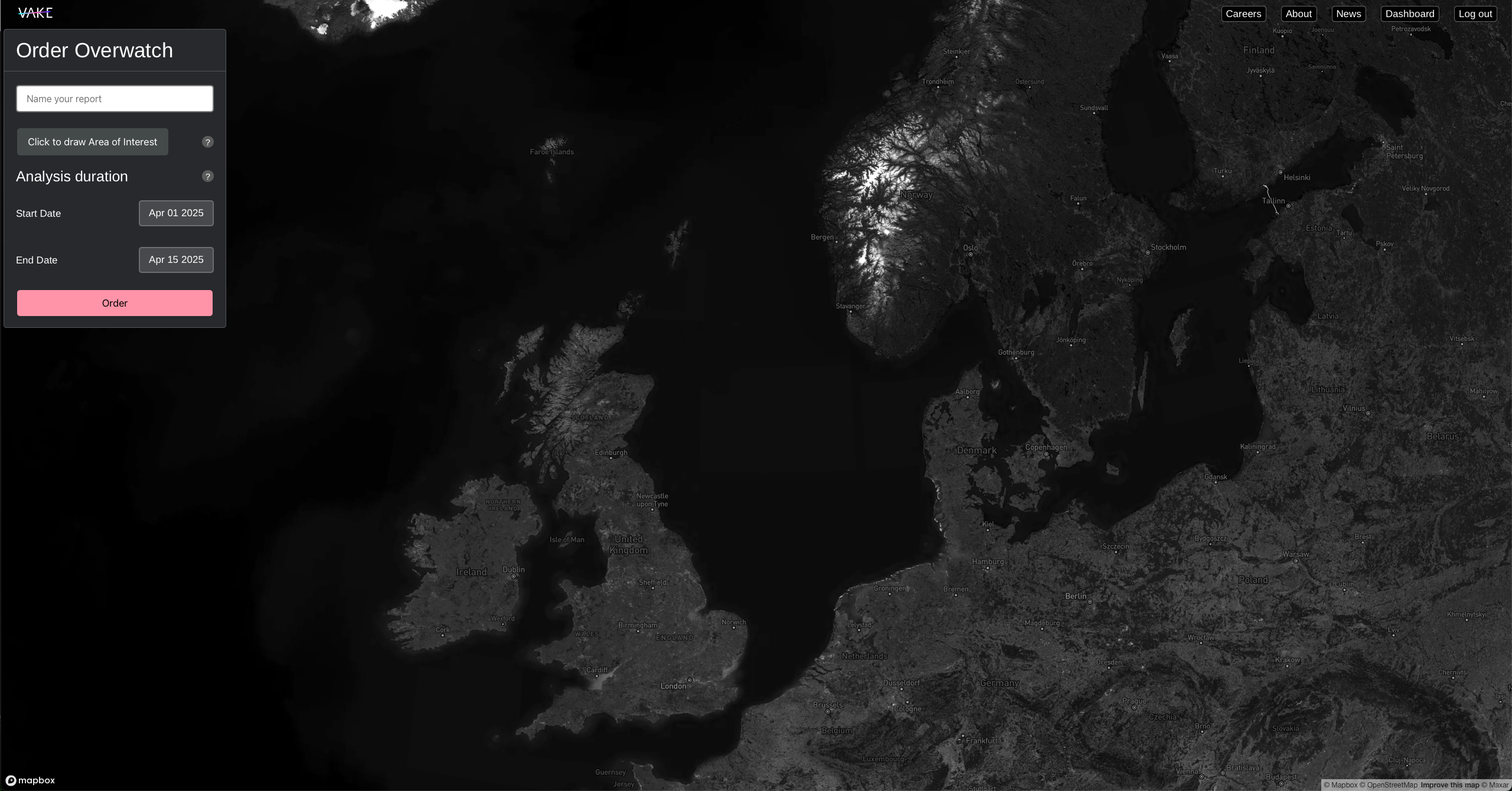
- Log in to your user account, and click on “Dashboard” to get to https://vake.ai/user
- Click “Create Overwatch”
- Create a name to your report.
- Click “Click to draw Area of Interest”. Navigate to where you want to create an Area of Interest. Then click to start drawing the area in the map. Click once to add a point, and double click to finish drawing of your Area of interest..
- Select a start date and an end date.
- Click “Order”.
You will be provided with a link to your report right away. How long it takes to complete depends heavily on the size of your Area of Interest and the selected duration (start date/end date). The more area coverage and the longer the duration, the more data will need to be processed for the report, meaning it will take longer time.
Find previously created reports
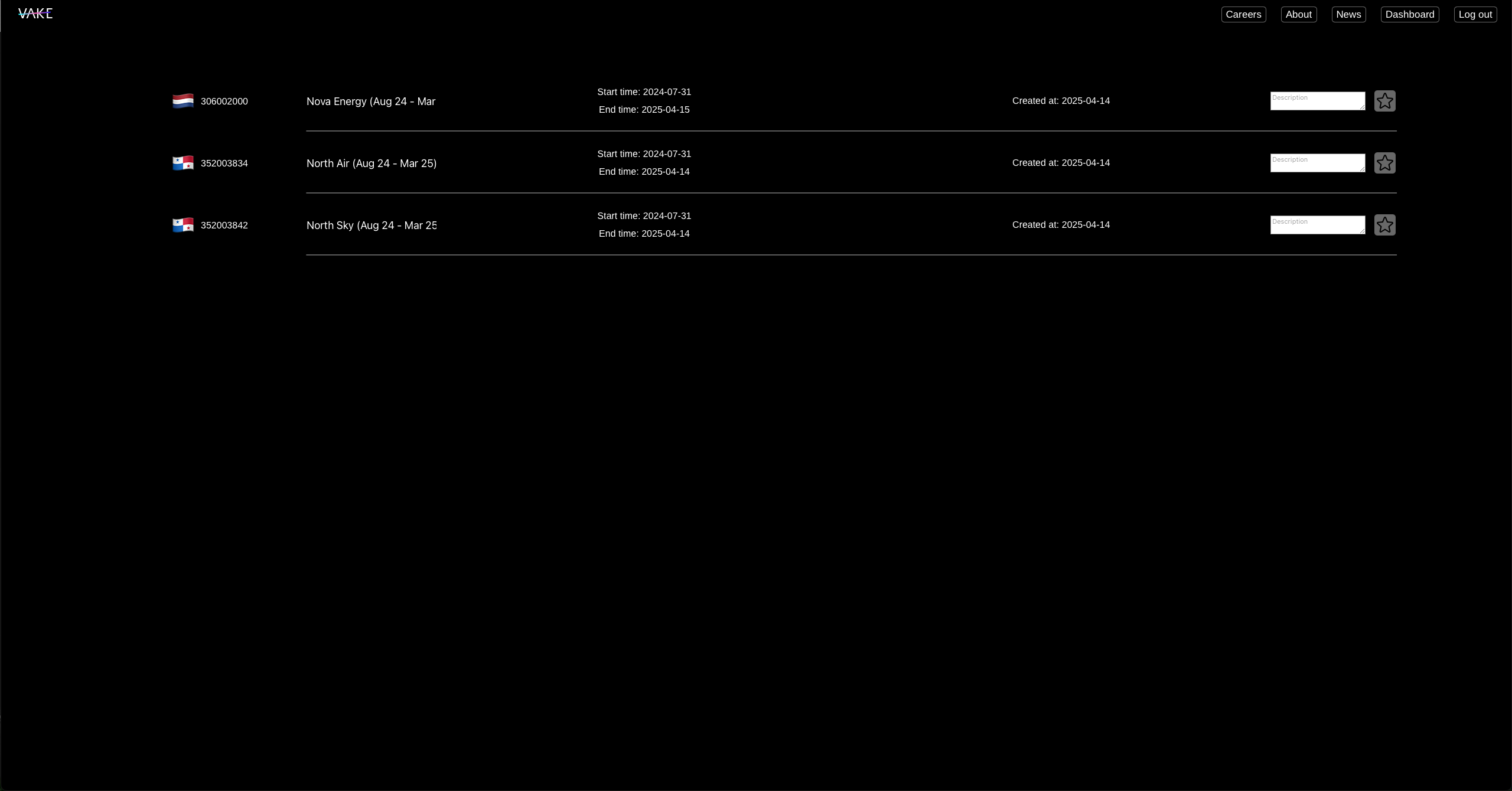
- Log in to your user account, and click on “Dashboard” to get to https://vake.ai/user
- For Pathfinder-reports click “Pathfinder reports” (displayed above), and for Overwatch-reports click “Overwatch reports”.
- Browse the lists for all reports created by you and other persons in your team.
- For Pathfinder-reports you can click the star to make it a favorite. Starred reports will always stay at the top of the list for easy access.